

Hello,
As a follow up on my earlier developed Miele baustein for Homeserver (LBS 14360), I now present you the Miele X1/L1 Logic Node.
t works on a Gira X1 as well as a Gira L1.
I created this module because:
See the following video for possibilties/beispiele:
(yes, my girlfriend figures in this video again, but if you want to see me, look at the next one)
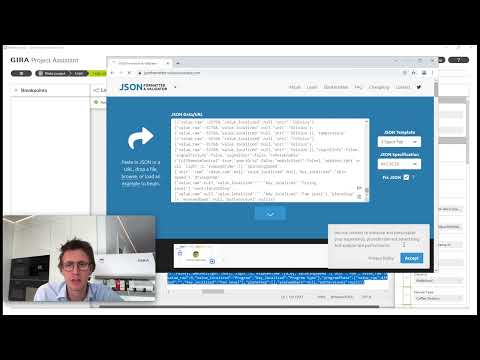
See the following video for Step-by-Step instructions:
Key features of the module:
Now available in Gira AppShop for free!
AppShop page in German
AppShop page in English
Direct download: https://www.roelbroersma.nl/media/do...Logic_Node.zip
.
Other Examples you can do:
Known behavior/issues:
Let me know how it works!
As a follow up on my earlier developed Miele baustein for Homeserver (LBS 14360), I now present you the Miele X1/L1 Logic Node.
t works on a Gira X1 as well as a Gira L1.
I created this module because:
- There is now a complete Gira <---> Miele integration, wether you have an X1, L1, Homeserver or FacilityServer.
- The (HTTP) Web Request von Daniel Albuschat couldn't do any request to TLS websites (because he will probably want to wait for a X1 upgrade).
- Even if the HTTP Web Request module could do it in future, it's still easier to have all the Miele logic into 1 module so you don't need to care about Authentication and PUT or POST requests.
See the following video for possibilties/beispiele:
(yes, my girlfriend figures in this video again, but if you want to see me, look at the next one)
See the following video for Step-by-Step instructions:
Key features of the module:
- Set your device type and the module show only the input/outputs valid for that device type.
- Full TLS1.2 and TLS1.3 compatible. Works very fast! You can also simulate all functions in the GPA !
- Simple functions can be done easily using standard defined inputs, however, you can also set advanced options/actions via JSON.
- Important note: After contacting Miele, it's clear that you can only have 1 API clientid/secret per email address. So if you request a new clientid/secret, the old one doesn't work anymore.
Now available in Gira AppShop for free!
AppShop page in German
AppShop page in English
Direct download: https://www.roelbroersma.nl/media/do...Logic_Node.zip
.
| Version | History/Notes/Bugfixes |
| 0.2.000017 | Fixed: Auto update notification (didn't work in GPA) Fixed: Wrong build uploaded Feature: Most outputs are compatible with 1byte, 2byte, 4byte, floats, etc. now. It automatically coverts the data to the connected output datapoint. (example. when temperature is 25,6C, and a 8bit unsigned is connected, it will be 25C). |
| 0.2.000015 | Auto Update checks! (during validation in GPA and during operation) Fixed many bugs. Renewed Authentication method (better caching of codes between several modules). Fixed running multiple simultaneous logic nodes at the same time (also with multiple accounts). Fixed bug in set_starttime. Fixed bug in steam oven combi not having all options. Fix in remoteenable (state) output. Fixed possible crashes with RemainingTime, StartTime, ElapsedTime, targetTemperature(s), Temperature(s), plateStep(s) return values. Fixed possible crash with elapsed time return values Possibe crash with spinningSpeed return values Possible fixes when device was empty/null Removed Russian Translation Tested on GPA 6.0 and X1: v3.053 and L1: v2.5.149. (previous versions might also work but not tested) Installing this version will create a new logic node Miele (with a smaller icon). When you replaced the Logic Node everywhere in your project, you can delete the old from here: C:\ProgramData\Gira\Gira Project Assistant\LogicNodes\roelbroersma_nl.Logic.Node1 (the old one) For future updates this won't be needed. |
| 0.1.2 | Validation fixes and better error texts. |
| 0.1.1 | Fixing a crash when getting the Status for devices like a dishwasher which give you feedback about Water and Energy usage (and estimate). |
| 0.1.0 | Publicly available! |
| 0.0.000 - 0.0.9999 | Hundreds of beta builds  |
- When leaving the house or before going to bed, switch off all Miele appliances with the "central off" button.
- Connect Miele appliances to a voice assistant such as Google Assistant or Alexa using this logic and control them with voice commands: "Switch on the dishwasher" or "Switch on the cooker bonnet light".
- Synchronise the lights of e.g. wine air conditioners and coffee machines and integrate them into light scenes.
- Display the remaining running time of the dishwasher or washing machine on the Gira G1.
- Put the refrigerator in holiday mode when you go on holiday.
- Automatically switch on Sabbath mode for the oven, using the timers in the Gira X1/L1.
Known behavior/issues:
- When turning the machine ON while it's already ON, you will get a 400-Bad Request error, this is normal behavior ad the Miele API works like that. Same happens when you want to turn OFF the light while it's already OFF, etc..
- Make sure to physically press the RemoteStart button when you want to start an Oven, Dishwasher, etc. When you want to start it a program, the correct order would be: 1.Make sure the RemoteStart button is on; 2.Do a Get_State (only the first time after a restart) to make sure it is authentication (it will internally get an auth token and secret); 3.Turn ON the Power by sending True to the Set_Power; 4.Send {"programId":3} (or any other program) to the Set_Programs (JSON); 5.Send START to the Set_ProcessAction. Do not do all these things at the same time but do it in a synchronous order.
- Make sure that the Set_Program(JSON) and Set_JSON_Actions inputs are linked to an internal Text address, not a 14 byte text address. Otherwise is will cut of your JSON text to only a few characters.
Let me know how it works!

 , thanks.


Kommentar